
A more capable free SEO Tracer alternative
Both Crawly and SEO Tracer are free, native Mac SEO crawlers. But Crawly includes an issues dashboard, crawl comparison, security header checks, and Claude Code MCP integration that SEO Tracer does not.
Crawly vs SEO Tracer: what is the difference?
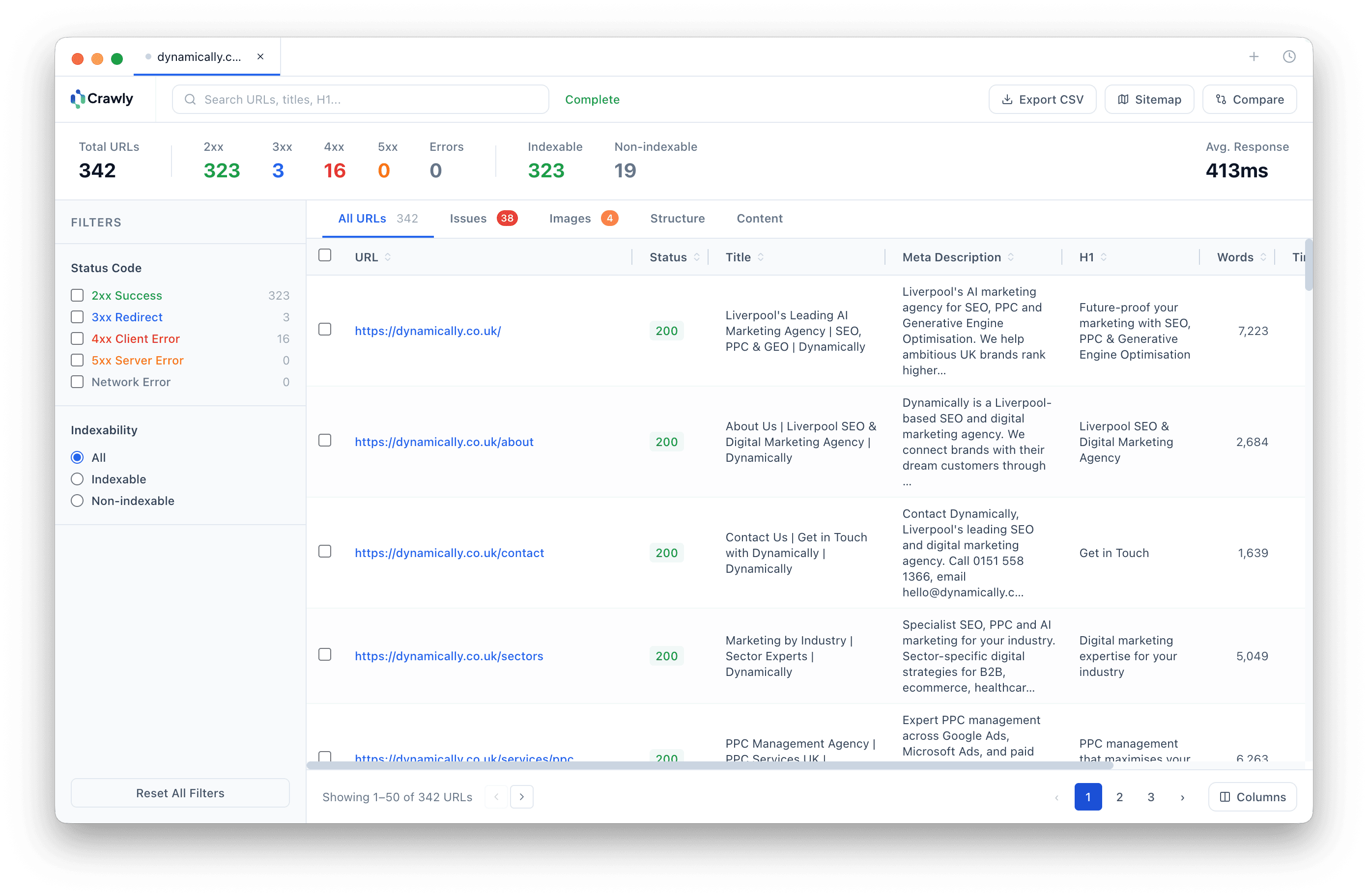
SEO Tracer is a free, native macOS SEO crawler available on the App Store. It covers the fundamentals: crawling a site, extracting titles and meta descriptions, finding broken links, and reporting HTTP response codes. For a quick surface-level check, it does the job.
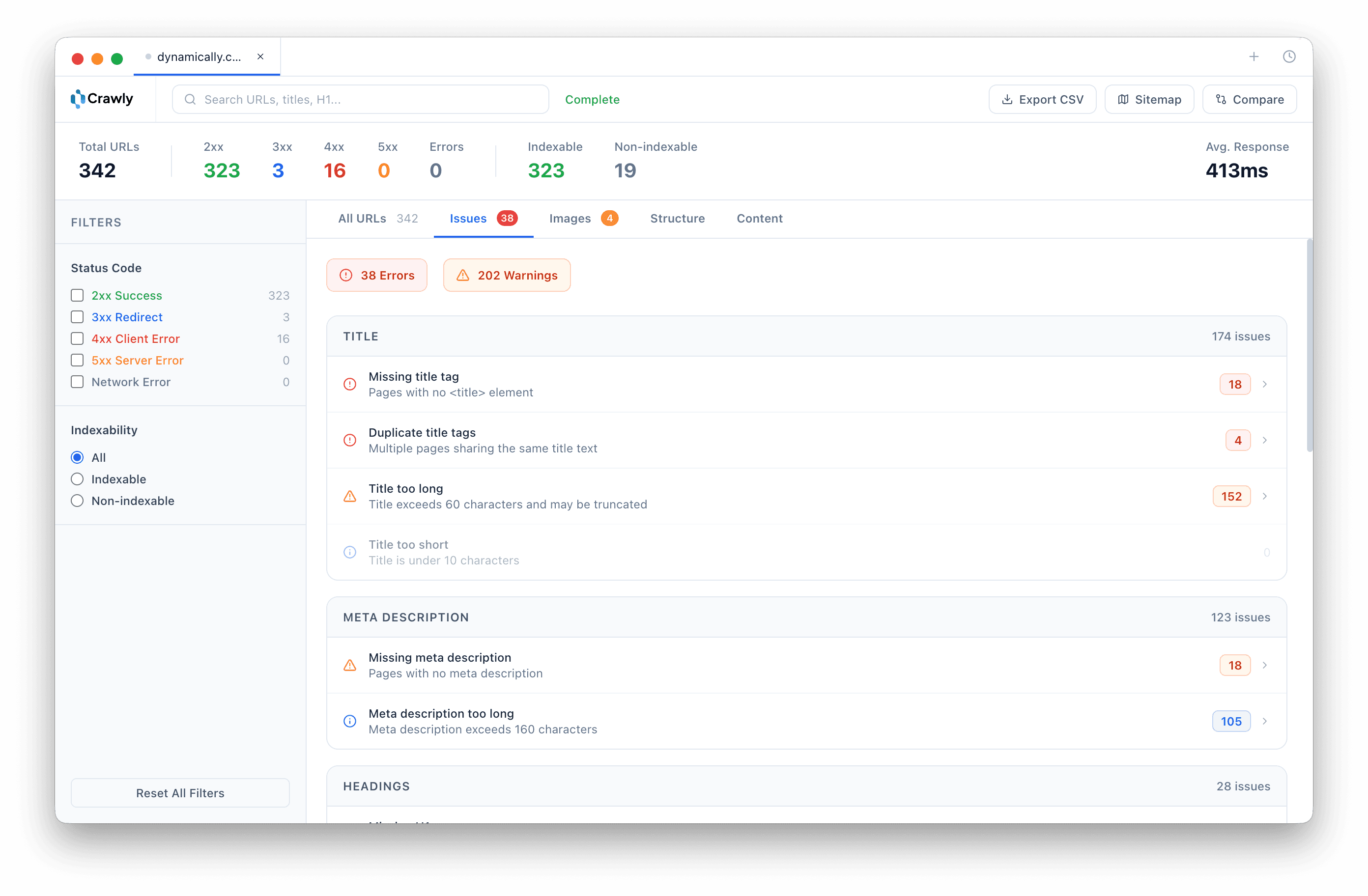
Crawly is also free and native to macOS, but it goes much further. It auto-categorises every issue it finds into 17 types - errors, warnings, and opportunities - so you can act on problems immediately rather than manually sorting through raw data. It saves your full crawl history and lets you diff any two crawls side by side to see exactly what changed between audits.
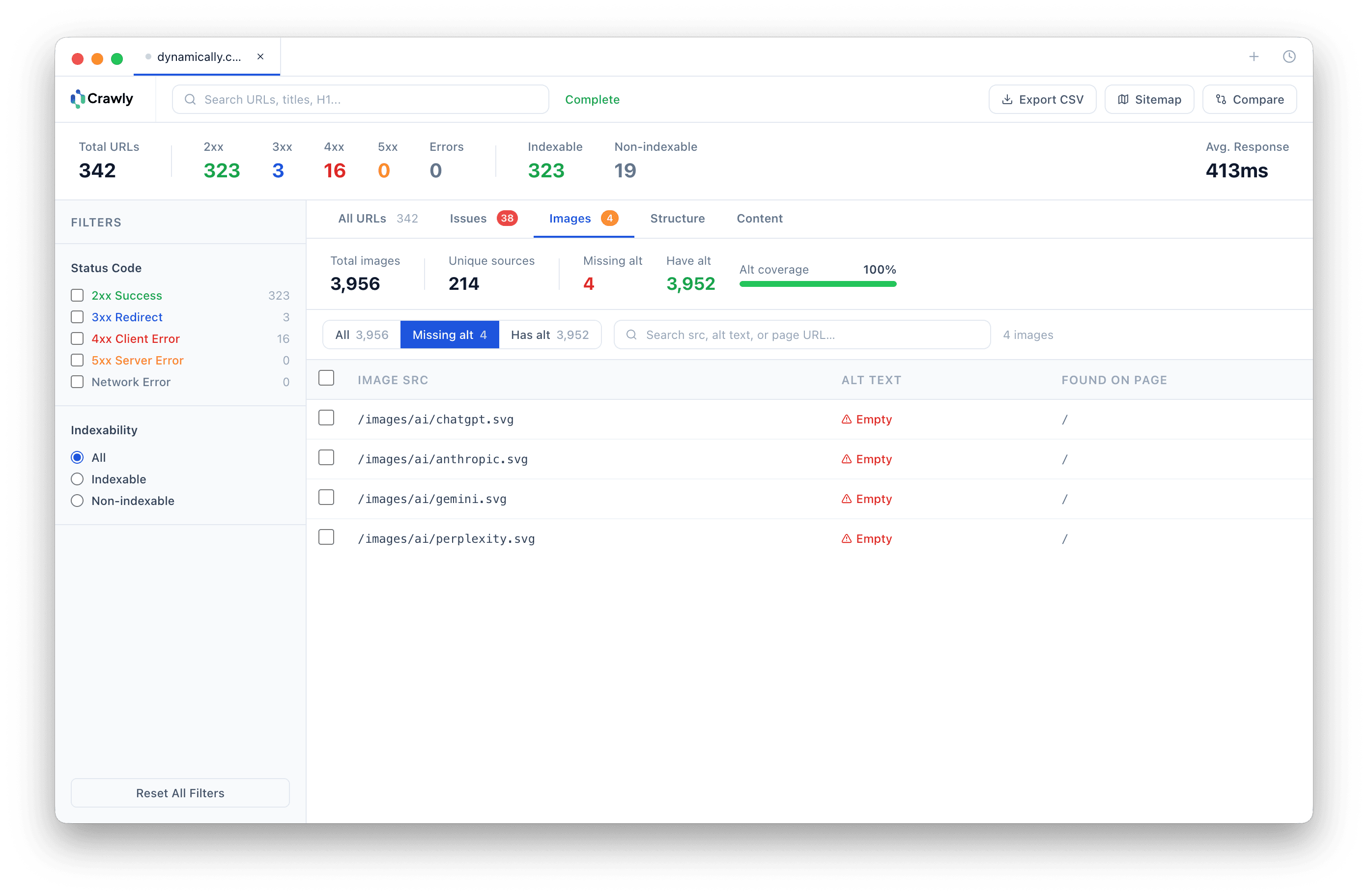
Crawly also includes things SEO Tracer does not have at any price: security header auditing (HSTS, CSP, X-Frame-Options), hreflang validation, near-duplicate content detection, and a Claude Code MCP server that lets you ask questions about your crawl data in plain English from your terminal.
Crawly vs SEO Tracer
Both free. Both native Mac. Very different in depth.
| Feature | Crawly Free | SEO Tracer |
|---|---|---|
| Price | Free | Free |
| Platform | Native macOS | Native macOS |
| Page limit | Unlimited | Unlimited |
| Claude Code MCP | ||
| Crawl comparison (diff) | ||
| Issues dashboard | ||
| Saved crawl history | ||
| Image audit | ||
| Hreflang audit | ||
| Security header checks | ||
| Near-duplicate detection | ||
| XML sitemap export | ||
| Custom CSS extraction |
Based on publicly available feature documentation as of May 2026.
See it in action
Native macOS. Fast. Built for serious SEO work.
Frequently asked questions
- What is the difference between Crawly and SEO Tracer?
- Both are free, native macOS SEO crawlers with no page cap. SEO Tracer covers the basics - page titles, meta descriptions, broken links, and HTTP response codes. Crawly goes significantly further: it auto-categorises issues into an issues dashboard, compares crawls over time, audits images, checks security headers, validates hreflang, and includes a Claude Code MCP server so you can query your crawl data in plain English.
- Is Crawly free like SEO Tracer?
- Yes. Crawly is completely free with no page cap, no licence fee, and no paid tier. There is no trial period - it is simply free to download and use.
- Does Crawly have an issues dashboard?
- Yes. Crawly automatically categorises every SEO problem it finds into 19 issue types across titles, meta descriptions, headings, status codes, redirects, indexability, images, security headers, content duplication, and hreflang - grouped by severity into errors, warnings, and opportunities. SEO Tracer does not have an equivalent.
- What is crawl comparison and does SEO Tracer have it?
- Crawl comparison lets you diff two crawls of the same site side by side - seeing which URLs were added, removed, or changed between audits, with field-level diffs for title, H1, status code, and indexability. Crawly has this built in. SEO Tracer does not.
- Does Crawly work with Claude Code?
- Yes. Crawly ships with a built-in MCP server that connects to Claude Code, Cursor, Codex, Windsurf, and other AI coding tools. You can ask your crawl data questions in plain English - find pages with missing meta descriptions, list all 4xx errors, identify redirect chains - directly from your terminal. No other free SEO crawler offers this.
Also comparing? Crawly vs Screaming Frog · Crawly vs Sitebulb · Crawly vs BeamUsUp · Crawly vs LibreCrawl · Crawly vs SEOnaut
Want to use Crawly with Claude Code? Read the Claude Code MCP setup guide
How to switch from SEO Tracer to Crawly
- Nothing to cancel. SEO Tracer is also a free Mac crawler, so this is a straightforward move.
- Download Crawly and crawl. You gain crawl comparison, a full issues dashboard, security header checks, and hreflang auditing.
- Connect the MCP server. Query your crawl data in plain English from the terminal with the Claude Code MCP integration.
- Add off-page analysis. Use our free backlink checker, which SEO Tracer does not include.

Start crawling smarter
Download Crawly for free. Connect to Claude Code via MCP and start auditing your site in minutes.
Download free