
Image Audit
Find every image with missing alt text across your entire site.
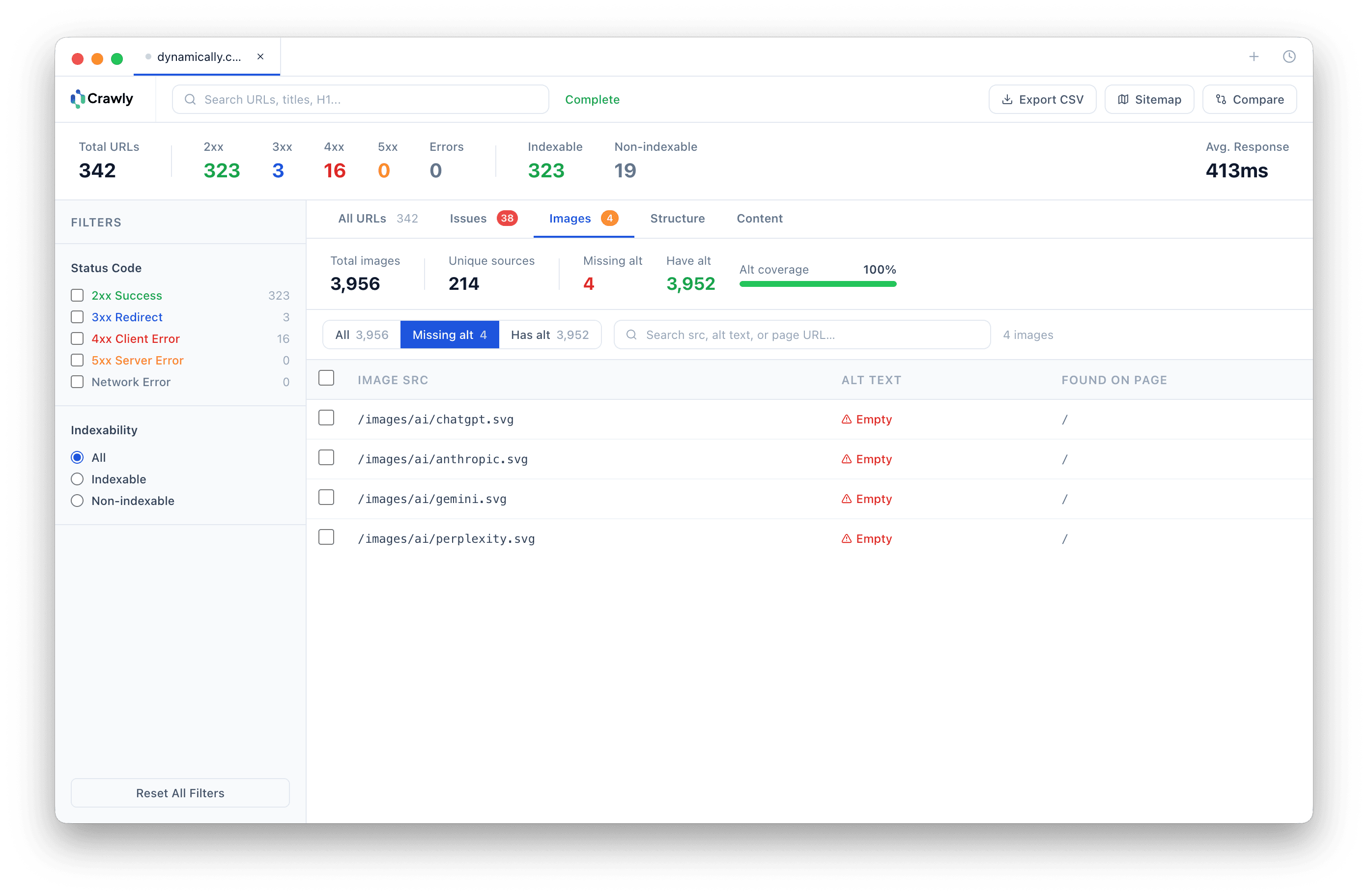
Manually checking image alt text across a site of any size is not practical. Crawly's image audit does it automatically - every image on every page, listed in a single filterable table.
Filter to missing alt in one click. See the image URL, the source page, and the current alt text (or the absence of it). Bulk export the list for developer handoff or accessibility reporting.
How it works
- 1
Run a crawl. Crawly collects every image tag from every page it visits.
- 2
Open the Images tab. Every image is listed with its src URL, source page, and alt attribute.
- 3
Filter to 'missing alt' to isolate only the images that need fixing.
- 4
Bulk copy or export the list for remediation.
Why it matters
Site-wide coverage
Every image across every crawled page - not a sample. If an image exists on your site and is linked from a crawlable page, Crawly finds it.
Stats at a glance
The image stats bar shows total images crawled, unique image sources, and the missing-alt count. Useful for scoping remediation work before diving into the detail.
Fast export
Bulk copy or export the full image list or just the missing-alt subset. Ready to paste into a ticket or hand to a developer.
Use cases
Accessibility audits
Missing alt text is one of the most common accessibility failures (WCAG 2.1 1.1.1). Crawly gives you the full picture in a single crawl.
Image SEO remediation
Alt text is a ranking signal for image search and helps Google understand page content. Bulk-fix missing alt text across the whole site using the exported list.
Client reporting
Show clients exactly how many images lack alt text and which pages they are on - with a one-click export ready for the report.
Related features
Related guides

Start crawling smarter
Download Crawly for free. Connect to Claude Code via MCP and start auditing your site in minutes.
Download free